
Websites & Business Apps
Custom Construction Apps & Job Reporting
Connect the jobsite and the office: daily reports, photos, task updates and a review the office can actually use.
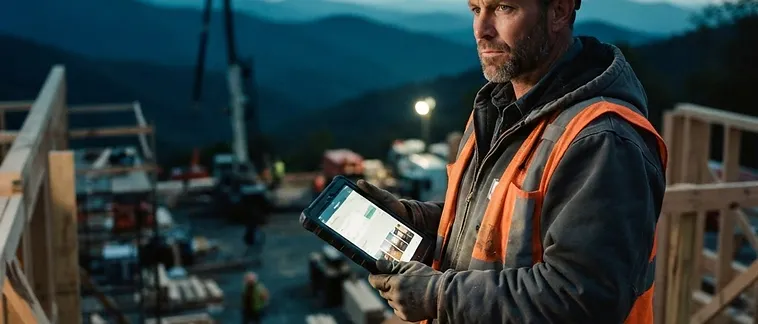
Example workflow — a daily field report reviewed by the office.
Construction work happens on the jobsite, while much of the reporting happens back at the office. WNC IT Pro works with local contractors to plan custom apps that connect those two parts of the business. We meet with the owner, office staff and field users to understand what needs recording, who needs to see it and how the information will be used.
Who needs a construction reporting app?
This service fits contractors and construction teams whose daily reports, photos and task updates are spread across paper forms, texts and separate spreadsheets. The goal is a defined reporting workflow that the crew can use and the office can review. It is not necessary to commission a complete construction management system to improve one difficult process.
Daily field reports and jobsite photos
A proposed report might record the job, date, work completed, crew notes, materials, issues and progress photos. Required fields and photo handling should match your reporting needs. The office can then review submitted information by job and identify missing reports or unresolved issues, depending on the agreed design.
Job tracking, punch lists and office summaries
A scoped app can organize assigned tasks, job status and punch-list items. Office summaries can make it easier to review several active jobs without reconstructing progress from individual messages. Customer-facing updates should be a separate permissioned view, containing only the information approved for customers.
Example workflow: from the field to the office
- An authorized field user selects an assigned job.
- The user records completed work, notes an issue and attaches photos.
- The report is submitted with a date and status.
- An office user reviews the report and assigns any follow-up.
- An agreed summary is viewed or exported for the appropriate audience.
This is an illustrative workflow, not a completed product or a claim about an existing customer. Details such as PDF generation, notifications, edits after submission and history must be scoped and tested.
Build around your crew's working conditions
Before choosing features, review the actual phones or tablets, site connectivity, photo volume and time available for reporting. Test the proposed workflow with a small group before extending it to the whole company. Mountain jobsite connectivity makes this especially important; offline use is not assumed.
Frequently Asked Questions
What This Includes
- Field and office discovery
- Report and job data plan
- Phone and tablet layout
- Photo requirements
- Roles and review process
- Pilot with a small group
- Training
- Agreed exports and support